


What is a Relay Module? Working and Arduino Usage

What is a Relay Module? Working and Arduino Usage
A Relay Module is one of the most useful electronic modules in DIY electronics and Arduino projects. It allows low-voltage microcontrollers like Arduino to safely control high-voltage devices such as bulbs, fans, pumps, and home appliances.
In this guide, you will learn:
- What a relay module is
- How a relay works
- Relay module pinout
- NO, NC, and COM terminals explained
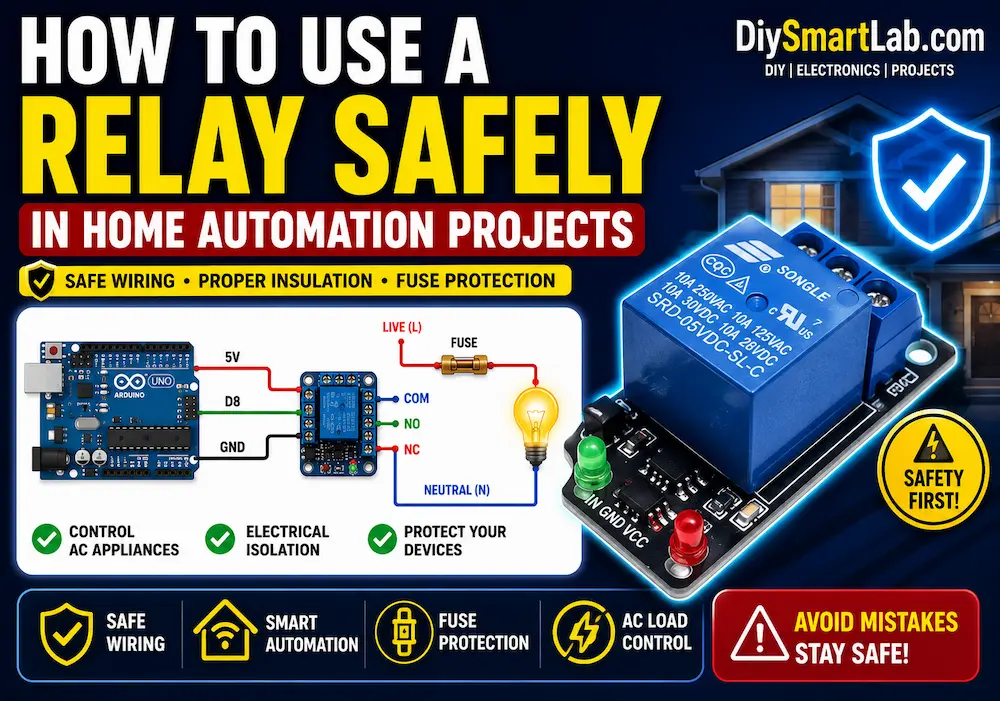
- How to connect a relay with Arduino
- Arduino relay code example
- Applications of relay modules
- Relay safety tips
If you are a beginner in electronics or Arduino projects, this article will help you understand relay modules in a simple way.
What is a Relay Module?
A Relay Module is an electronic switching device that uses an electromagnetic relay to control high-voltage or high-current devices using low-voltage signals.
It acts like an electrically operated switch. When the relay receives a small control signal from Arduino or another microcontroller, it turns ON or OFF connected electrical devices.
Relay modules are commonly available in:
- 1-Channel Relay Module
- 2-Channel Relay Module
- 4-Channel Relay Module
- 8-Channel Relay Module
Why Use a Relay Module?
Microcontrollers like Arduino work at low voltage (5V or 3.3V) and cannot directly control AC appliances. A relay module provides electrical isolation and allows safe control of:
- AC bulbs
- Fans
- Water pumps
- Motors
- Home automation devices
- High-power LED lights

Main Parts of a Relay Module
A relay module usually contains the following components:
- Electromagnetic Relay
- Transistor Driver Circuit
- Flyback Protection Diode
- Status LED Indicator
- Input Pins
- Screw Terminals for Load Connection
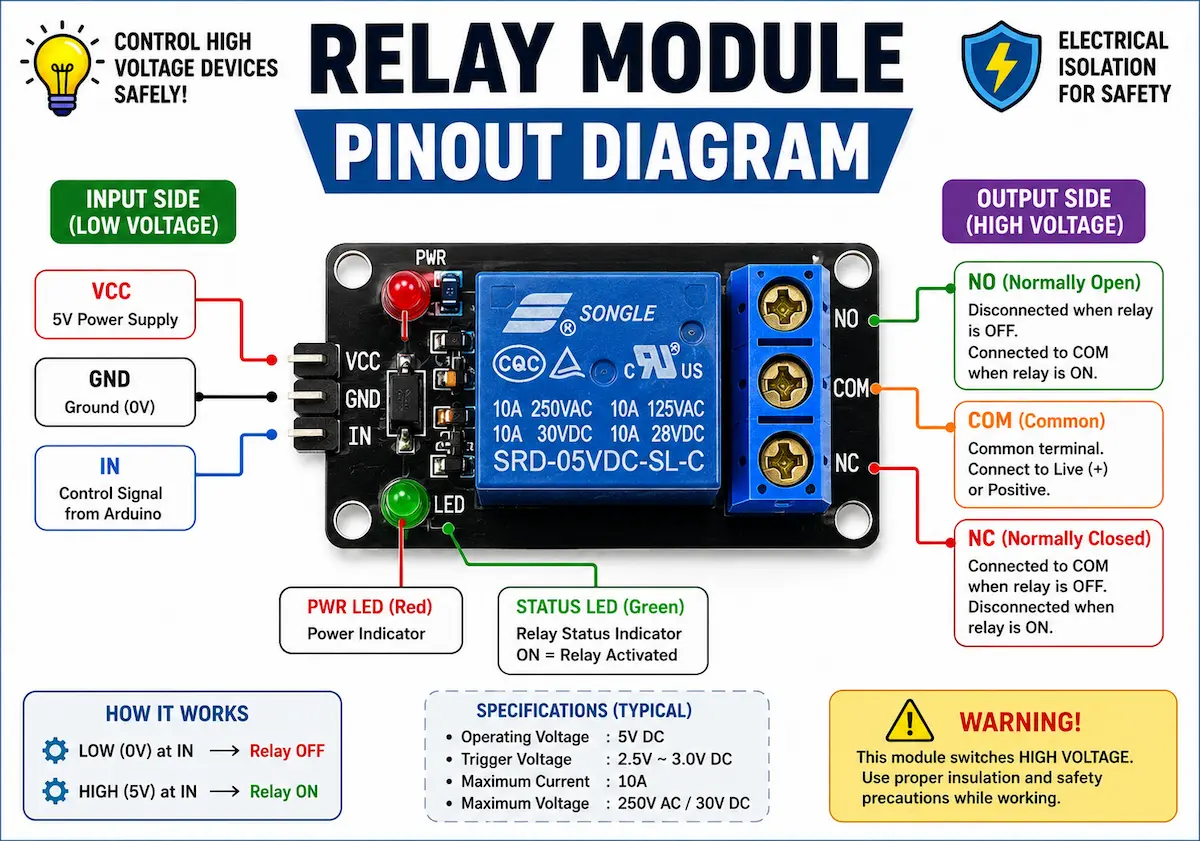
Relay Module Pinout
Most relay modules have two sections:
Input Side
- VCC → Power supply (usually 5V)
- GND → Ground connection
- IN → Control signal from Arduino
Output Side
- COM (Common)
- NO (Normally Open)
- NC (Normally Closed)
NO, NC, and COM Explained
Understanding relay terminals is very important.
| Terminal | Meaning | Status |
|---|---|---|
| COM | Common Terminal | Main connection |
| NO | Normally Open | Connected when relay is ON |
| NC | Normally Closed | Connected when relay is OFF |
In most Arduino projects, the NO terminal is commonly used.
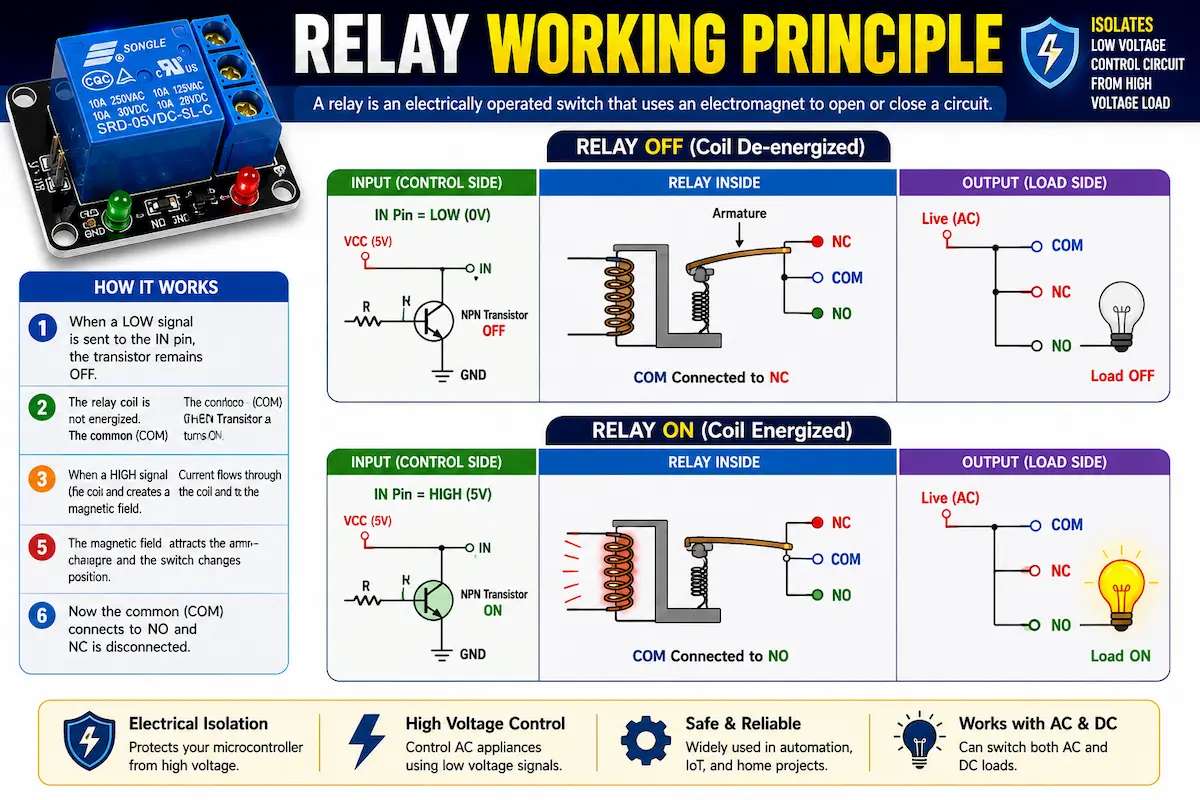
How Does a Relay Module Work?
A relay works using electromagnetism.
- Arduino sends a signal to the relay input pin.
- The relay coil gets energized.
- A magnetic field is generated.
- The internal switch changes position.
- The connected appliance turns ON or OFF.
This allows low-voltage electronics to control high-voltage circuits safely.
How to Connect a Relay Module with Arduino
Here is a simple connection setup:
| Relay Module | Arduino |
|---|---|
| VCC | 5V |
| GND | GND |
| IN | Digital Pin 7 |
Then connect the AC appliance through the relay screw terminals.
Arduino Relay Module Code Example
int relayPin = 7;

void setup() {
  pinMode(relayPin, OUTPUT);
}

void loop() {

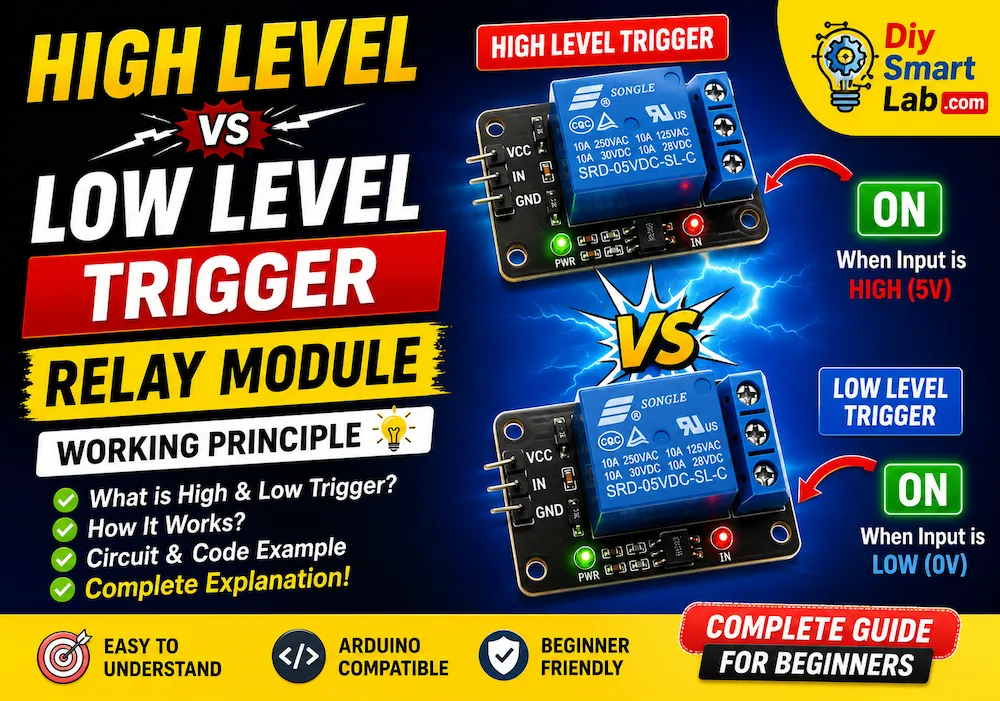
  digitalWrite(relayPin, LOW);
  delay(2000);

  digitalWrite(relayPin, HIGH);
  delay(2000);
}
This code turns the relay ON and OFF every 2 seconds.
Relay Module Applications
Relay modules are widely used in automation and electronics projects.
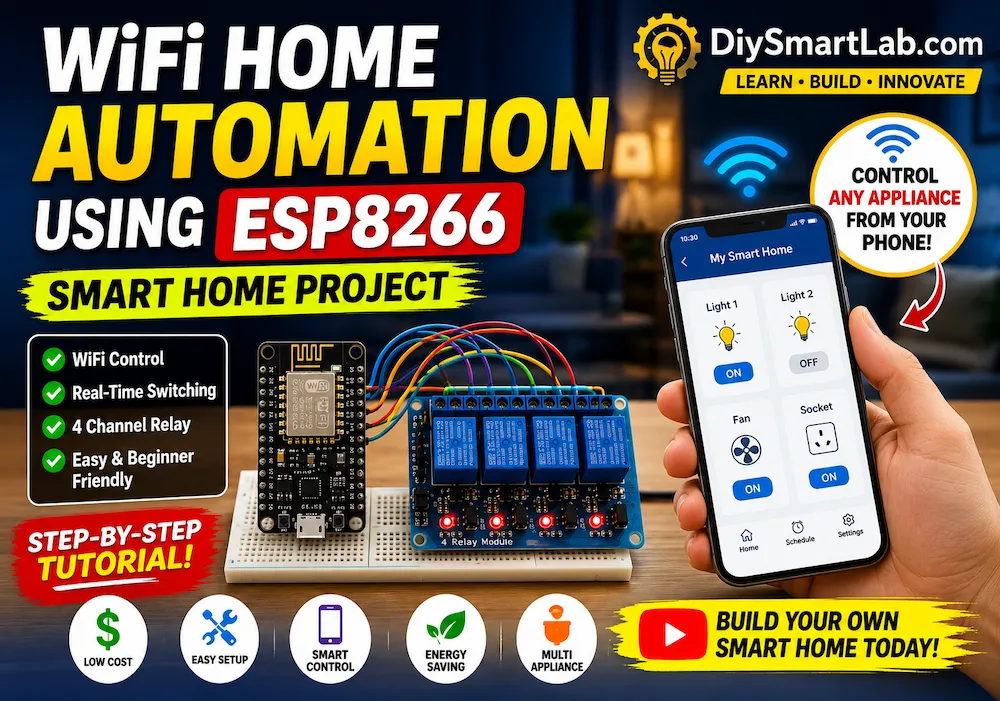
- Home automation systems
- Smart switches
- Arduino automation projects
- Motor control circuits
- Industrial automation
- Security systems
- IoT projects
- Automatic lighting systems

Advantages of Relay Modules
- Easy to interface with Arduino
- Electrical isolation for safety
- Can control high-voltage devices
- Reliable switching operation
- Affordable and widely available
Disadvantages of Relay Modules
- Mechanical switching is slower
- Relay contacts wear out over time
- Produces clicking sound
- Larger than solid-state relays
Safety Tips While Using Relay Modules
- Never touch live AC wires
- Use insulated connections
- Always disconnect power before wiring
- Use proper relay ratings
- Keep high-voltage and low-voltage sections separate
Relay Module vs Solid State Relay
| Feature | Relay Module | Solid State Relay |
|---|---|---|
| Switching Type | Mechanical | Electronic |
| Noise | Clicking sound | Silent |
| Speed | Slower | Faster |
| Lifetime | Limited | Longer |
| Cost | Cheaper | More expensive |
Frequently Asked Questions (FAQ)
Can Arduino directly control AC appliances?
No. Arduino cannot directly control high-voltage AC devices. A relay module is required for safe switching.
What voltage relay module should I use with Arduino?
A 5V relay module is commonly used with Arduino Uno.
What is the difference between NO and NC?
NO remains disconnected until the relay turns ON, while NC remains connected until the relay turns OFF.
Can relay modules control DC devices?
Yes. Relay modules can switch both AC and DC loads within their voltage and current ratings.
Conclusion
A relay module is an essential component for Arduino and automation projects. It allows safe control of high-voltage devices using low-voltage signals from microcontrollers.
Whether you are building a smart home system, automatic lighting setup, or IoT project, understanding relay modules is extremely important for every electronics enthusiast.
We hope this beginner-friendly guide helped you understand how relay modules work and how to use them with Arduino.



3 thoughts on “What is a Relay Module? Working and Arduino Usage”