

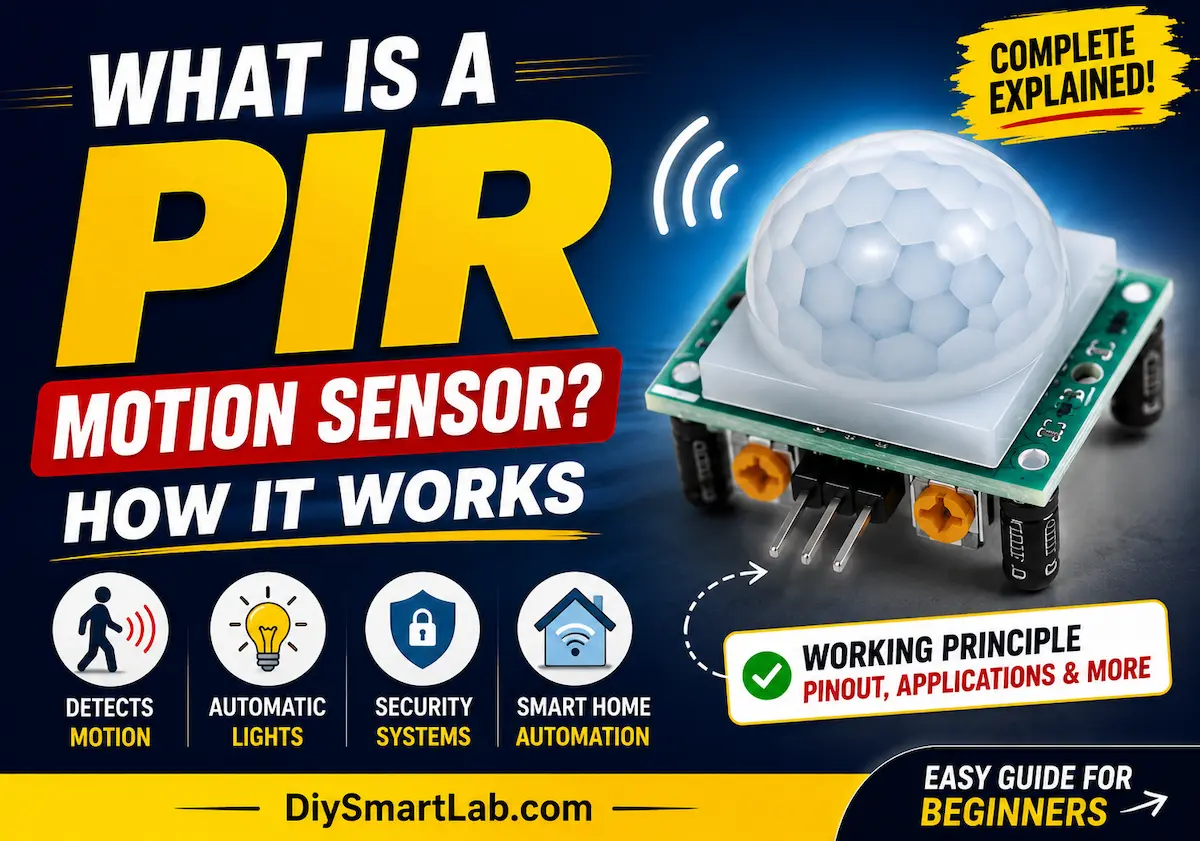
What is a PIR Motion Sensor? How It Works

What is a PIR Motion Sensor? How It Works
PIR Motion Sensors are one of the most commonly used sensors in modern electronics and automation projects. From automatic room lights to smart security systems, these sensors help detect human movement without physical contact. If you are learning electronics, Arduino, or home automation, understanding how a PIR Motion Sensor works is very important.
In this beginner-friendly guide by DiySmartLab.com, you will learn what a PIR Motion Sensor is, how it works, its pin configuration, applications, advantages, disadvantages, and how to use it with Arduino.

What is a PIR Motion Sensor?
A PIR (Passive Infrared) Motion Sensor is an electronic sensor used to detect motion by measuring infrared radiation emitted by humans, animals, or objects. It is called “passive” because it does not emit any energy itself. Instead, it only detects infrared heat from nearby objects.
PIR sensors are widely used in:
- Automatic lights
- Security alarm systems
- Smart home automation
- Motion-activated cameras
- Arduino and IoT projects
How Does a PIR Motion Sensor Work?
Every human body emits infrared radiation in the form of heat. A PIR sensor detects changes in this infrared radiation when a person or animal moves in front of it.
The sensor contains two infrared-sensitive slots. When there is no movement, both slots detect the same amount of infrared radiation. But when motion occurs, one slot receives more infrared energy than the other. This difference creates a voltage change, and the sensor outputs a signal indicating motion detection.

Main Components of a PIR Sensor
- Pyroelectric Sensor: Detects infrared radiation.
- Fresnel Lens: Focuses infrared energy onto the sensor.
- Amplifier Circuit: Processes weak signals.
- Comparator: Determines whether motion is detected.
- Output Pin: Sends HIGH or LOW signal.
PIR Motion Sensor Pinout
Most PIR modules like the HC-SR501 have 3 pins.

- VCC: Power Supply (5V)
- OUT: Output Signal Pin
- GND: Ground
PIR Sensor Specifications
| Parameter | Value |
| Operating Voltage | 5V to 12V |
| Detection Distance | 3 to 7 meters |
| Detection Angle | Approximately 120° |
| Output Type | Digital HIGH/LOW |
| Power Consumption | Very Low |
How to Use a PIR Motion Sensor with Arduino
Connecting a PIR sensor to Arduino is very easy. You only need three wires.
- VCC → Arduino 5V
- GND → Arduino GND
- OUT → Arduino Digital Pin

Simple Arduino Code
int pirPin = 2;
int ledPin = 13;

void setup() {
  pinMode(pirPin, INPUT);
  pinMode(ledPin, OUTPUT);
  Serial.begin(9600);
}

void loop() {
  int motion = digitalRead(pirPin);

  if (motion == HIGH) {
    digitalWrite(ledPin, HIGH);
    Serial.println("Motion Detected!");
  } else {
    digitalWrite(ledPin, LOW);
    Serial.println("No Motion");
  }

  delay(500);
}
When motion is detected, the PIR sensor sends a HIGH signal to Arduino, turning on the LED.
Applications of PIR Motion Sensors

- Automatic Room Lighting
- Security Alarm Systems
- Smart Home Automation
- Motion Activated Fans
- Automatic Doors
- Energy Saving Systems
- Surveillance Systems
- IoT Projects
Advantages of PIR Motion Sensors
- Low power consumption
- Easy to interface with Arduino
- Affordable and compact
- Reliable motion detection
- Works well indoors
Disadvantages of PIR Motion Sensors
- Cannot detect stationary objects
- Sensitive to temperature changes
- Limited detection range
- May produce false triggers in some conditions
PIR Sensor vs Ultrasonic Sensor
| Feature | PIR Sensor | Ultrasonic Sensor |
| Detection Type | Infrared Heat | Sound Waves |
| Detects Stationary Objects | No | Yes |
| Power Consumption | Low | Moderate |
| Main Use | Human Motion Detection | Distance Measurement |
Tips for Using PIR Sensors
- Place the sensor away from direct sunlight.
- Avoid heat sources near the sensor.
- Adjust sensitivity using onboard potentiometers.
- Mount the sensor at proper height for best coverage.
- Allow warm-up time after powering the module.
Conclusion
A PIR Motion Sensor is a simple yet powerful sensor used for motion detection in automation and security systems. Because of its low cost, low power usage, and easy interfacing with Arduino, it is widely used in DIY electronics projects and smart home applications.
If you are starting with Arduino or IoT projects, learning to use a PIR sensor is a great step toward building smart automation systems.
Frequently Asked Questions (FAQs)
What does PIR stand for?
PIR stands for Passive Infrared Sensor.
Can a PIR sensor detect animals?
Yes, PIR sensors can detect animals because animals also emit infrared radiation.
What is the range of a PIR sensor?
Most PIR sensors can detect motion within 3 to 7 meters.
Does a PIR sensor work in darkness?
Yes, PIR sensors work perfectly in darkness because they detect heat, not visible light.
Can I use a PIR sensor with Raspberry Pi?
Yes, PIR sensors can be connected with Raspberry Pi, Arduino, ESP32, and many other microcontrollers.


One thought on “What is a PIR Motion Sensor? How It Works”