

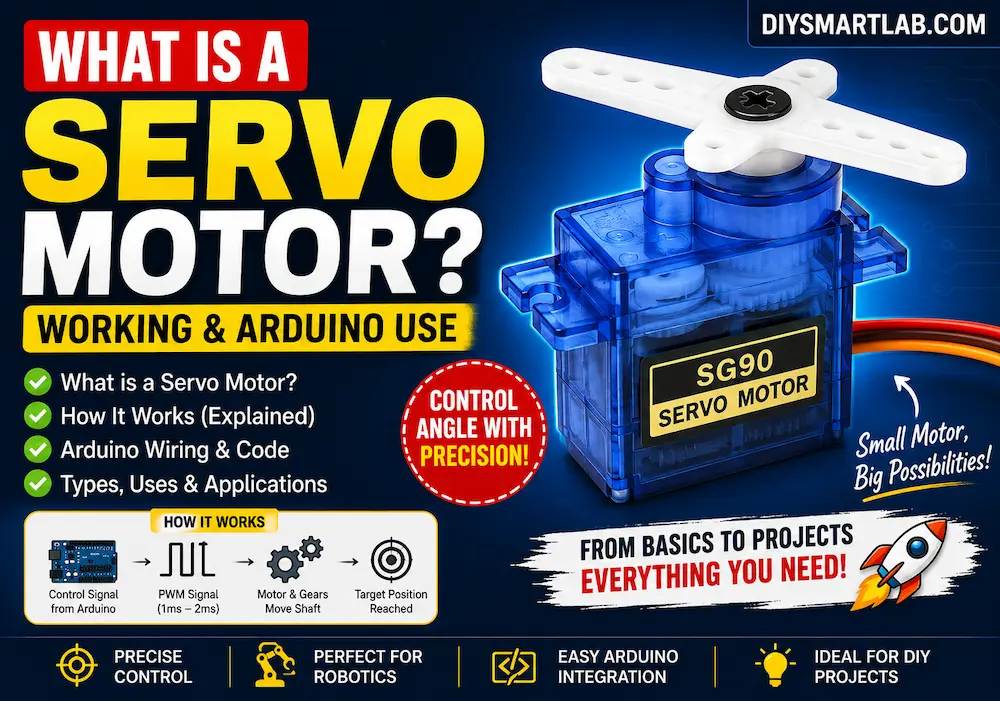
What is a Servo Motor? Working, Types and Arduino Use

What is a Servo Motor? Working and Arduino Use
A servo motor is a special type of motor used to control angular position, speed, and movement with high accuracy. It is widely used in robotics, RC cars, smart locks, camera gimbals, automation projects, and Arduino-based DIY electronics projects.
Unlike a normal DC motor that keeps rotating continuously, a servo motor can move to a specific angle, such as 0°, 90°, or 180°. This makes it perfect for projects where precise movement is required.

What is a Servo Motor?
A servo motor is an electromechanical device that rotates its shaft to a specific position based on a control signal. It usually contains a small DC motor, gear system, position sensor, and control circuit inside one compact package.
Most hobby servo motors can rotate from 0° to 180°, while some continuous rotation servos can rotate like a normal motor.
Main Parts of a Servo Motor
- DC Motor: Produces rotational motion.
- Gearbox: Reduces speed and increases torque.
- Potentiometer: Detects shaft position.
- Control Circuit: Compares input signal with current position.
- Output Shaft: Moves the connected arm or load.
How Does a Servo Motor Work?
A servo motor works using a feedback control system. The control circuit receives a signal from a microcontroller like Arduino. According to this signal, the motor rotates until the shaft reaches the required angle.
The internal potentiometer continuously checks the shaft position. When the desired position is reached, the control circuit stops the motor.

Servo Motor Pinout
A standard servo motor usually has three wires:
| Wire Color | Pin Name | Function |
|---|---|---|
| Red | VCC | Power supply, usually 5V |
| Brown/Black | GND | Ground connection |
| Orange/Yellow/White | Signal | PWM control signal from Arduino |
Servo Motor and PWM Signal
Servo motors are controlled using a PWM signal. PWM stands for Pulse Width Modulation. The width of the pulse decides the angle of the servo shaft.
- 1 ms pulse: Around 0°
- 1.5 ms pulse: Around 90°
- 2 ms pulse: Around 180°
Types of Servo Motors
1. Positional Rotation Servo Motor
This is the most common type of servo motor used in Arduino projects. It usually rotates between 0° and 180°.
2. Continuous Rotation Servo Motor
This type can rotate continuously like a DC motor. Instead of angle control, it controls speed and direction.
3. Linear Servo Motor
A linear servo motor converts rotational motion into linear movement. It is used in special automation and mechanical systems.
Servo Motor Arduino Connection
Connecting a servo motor with Arduino is very simple. You only need three connections: power, ground, and signal.
| Servo Motor Pin | Arduino Pin |
|---|---|
| VCC | 5V |
| GND | GND |
| Signal | Digital Pin 9 |

Components Required
- Arduino Uno
- Servo Motor SG90 or MG995
- Jumper Wires
- Breadboard
- External 5V power supply, optional for high-torque servo
Arduino Code for Servo Motor
#include <Servo.h>

Servo myServo;

void setup() {
  myServo.attach(9);
}

void loop() {
  myServo.write(0);
  delay(1000);

  myServo.write(90);
  delay(1000);

  myServo.write(180);
  delay(1000);
}
Code Explanation
- #include <Servo.h> adds the servo library.
- Servo myServo; creates a servo object.
- myServo.attach(9); connects the servo signal wire to Arduino pin 9.
- myServo.write(90); moves the servo shaft to 90 degrees.
Important Power Supply Note
Small servo motors like SG90 can sometimes run from the Arduino 5V pin, but it is better to use an external 5V power supply when using larger servos or multiple servo motors.
Important: Always connect the external power supply ground with Arduino GND. Without common ground, the servo may not work correctly.
Applications of Servo Motors
- Robotic arms
- Smart door locks
- RC cars and planes
- Automatic dustbins
- Camera pan-tilt systems
- Solar tracking systems
- Arduino automation projects
- Home automation mechanisms
Advantages of Servo Motors
- Accurate position control
- Easy to use with Arduino
- Compact size
- Good torque at low speed
- Built-in feedback system
- Perfect for robotics and automation
Disadvantages of Servo Motors
- Limited rotation angle in standard servos
- Can draw high current under load
- Not suitable for continuous high-speed rotation
- May need external power supply
Servo Motor vs DC Motor
| Feature | Servo Motor | DC Motor |
|---|---|---|
| Control | Position control | Speed control |
| Rotation | Usually 0° to 180° | Continuous rotation |
| Feedback | Built-in feedback | No built-in feedback |
| Use | Robotics, arms, automation | Fans, wheels, pumps |
Common Servo Motor Examples
- SG90: Small and lightweight servo for beginner Arduino projects.
- MG90S: Metal gear micro servo with better durability.
- MG995: High-torque servo for robotic arms and heavy loads.
- MG996R: Powerful servo commonly used in robotics.
Best Practices for Using Servo Motors
- Use an external power supply for large servo motors.
- Connect Arduino GND and servo power supply GND together.
- Do not overload the servo shaft.
- Use proper delay in code for smooth movement.
- Avoid powering multiple servos directly from Arduino 5V pin.
FAQs About Servo Motor
What is a servo motor used for?
A servo motor is used for precise movement and position control in robotics, automation, RC vehicles, smart locks, camera systems, and Arduino projects.
Can a servo motor rotate 360 degrees?
A standard servo motor usually rotates from 0° to 180°. A continuous rotation servo can rotate 360 degrees continuously, but it works more like a geared DC motor.
Can I connect a servo motor directly to Arduino?
Yes, small servo motors like SG90 can be connected directly to Arduino. However, for larger servos, an external power supply is recommended.
Which Arduino pin is used for servo motor?
You can connect the servo signal wire to any digital pin, but PWM-capable pins like pin 9 are commonly used.
Why is my servo motor shaking?
A servo motor may shake due to low power, loose wiring, high load, incorrect signal, or lack of common ground between Arduino and external power supply.
Conclusion
A servo motor is one of the most useful components in DIY electronics and Arduino projects. It allows accurate angle control, making it ideal for robotics, smart home devices, automation systems, and mechanical projects.
If you are learning Arduino, using a servo motor is a great beginner-friendly project. With only three wires and simple code, you can control movement accurately and build many creative DIY projects.