

What is an Ultrasonic Sensor? Distance Measurement Guide

What is an Ultrasonic Sensor? Distance Measurement Guide
An ultrasonic sensor is an electronic sensor used to measure distance without touching the object. It works by sending ultrasonic sound waves and measuring the time taken for the echo to return. Ultrasonic sensors are commonly used in Arduino projects, robotics, smart parking systems, water level monitoring, obstacle detection, and automation projects.

What is an Ultrasonic Sensor?
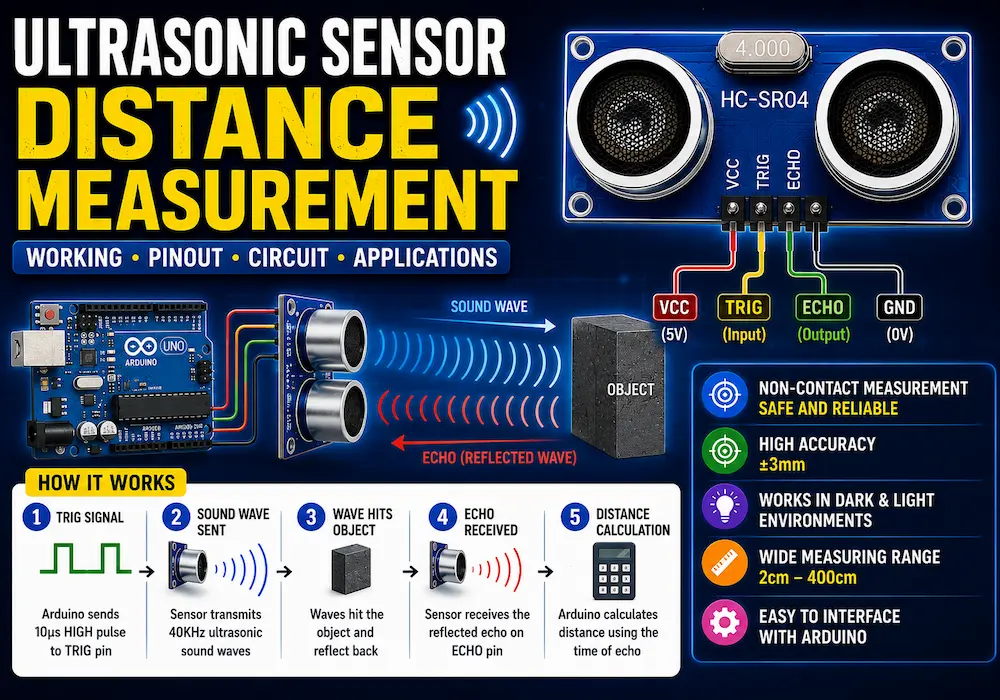
An ultrasonic sensor is a distance measuring device that uses high-frequency sound waves. These sound waves are above the range of human hearing, usually around 40 kHz. The sensor sends a sound pulse, waits for the reflected echo, and then calculates the distance based on the travel time of the sound wave.
The most popular ultrasonic sensor used in DIY electronics is the HC-SR04 ultrasonic sensor. It is affordable, easy to use, and works well with Arduino, ESP32, Raspberry Pi, and other microcontrollers.
Ultrasonic Sensor Pinout
A common HC-SR04 ultrasonic sensor has four pins:
| Pin | Function |
|---|---|
| VCC | Power supply, usually 5V |
| Trig | Trigger input pin used to send ultrasonic pulse |
| Echo | Output pin that gives pulse duration |
| GND | Ground connection |

How Does an Ultrasonic Sensor Work?
The working principle of an ultrasonic sensor is based on echo reflection. It is similar to how bats detect objects in the dark.
- The microcontroller sends a short signal to the Trig pin.
- The sensor transmits ultrasonic sound waves from the transmitter.
- The sound waves hit an object and bounce back.
- The receiver detects the reflected echo.
- The sensor gives an output pulse on the Echo pin.
- The microcontroller calculates distance using the time taken by the sound wave.
Ultrasonic Sensor Distance Formula
The distance is calculated using the speed of sound:
Distance = (Time × Speed of Sound) / 2The division by 2 is used because the sound wave travels from the sensor to the object and then comes back to the sensor.
In air, the speed of sound is approximately:
343 m/s or 0.0343 cm/µsFor Arduino projects, the distance in centimeters is commonly calculated as:
Distance in cm = Duration × 0.0343 / 2Example Calculation
Suppose the echo pulse duration is 1000 microseconds.
Distance = 1000 × 0.0343 / 2
Distance = 17.15 cm
So, the object is approximately 17.15 cm away from the ultrasonic sensor.

HC-SR04 Ultrasonic Sensor Specifications
| Parameter | Value |
|---|---|
| Operating Voltage | 5V DC |
| Operating Current | Approx. 15mA |
| Frequency | 40 kHz |
| Measuring Range | 2 cm to 400 cm |
| Accuracy | Approx. 3 mm |
| Trigger Signal | 10 µs pulse |
| Output Signal | Echo pulse |
Ultrasonic Sensor with Arduino
Using an ultrasonic sensor with Arduino is very simple. You only need to connect the VCC, GND, Trig, and Echo pins to the Arduino board.
Arduino Connection
| Ultrasonic Sensor Pin | Arduino Pin |
|---|---|
| VCC | 5V |
| GND | GND |
| Trig | Digital Pin 9 |
| Echo | Digital Pin 10 |

Arduino Code for Ultrasonic Sensor
const int trigPin = 9;
const int echoPin = 10;

long duration;
float distance;

void setup() {
  pinMode(trigPin, OUTPUT);
  pinMode(echoPin, INPUT);
  Serial.begin(9600);
}

void loop() {
  digitalWrite(trigPin, LOW);
  delayMicroseconds(2);

  digitalWrite(trigPin, HIGH);
  delayMicroseconds(10);
  digitalWrite(trigPin, LOW);

  duration = pulseIn(echoPin, HIGH);

  distance = duration * 0.0343 / 2;

  Serial.print("Distance: ");
  Serial.print(distance);
  Serial.println(" cm");

  delay(500);
}
After uploading this code, open the Serial Monitor in Arduino IDE. You will see the measured distance in centimeters.
Applications of Ultrasonic Sensor
Ultrasonic sensors are widely used in electronics and automation projects because they provide contactless distance measurement.
- Obstacle detection robots: Used in robotic cars to detect objects and avoid collisions.
- Smart parking systems: Used to detect vehicle distance while parking.
- Water level monitoring: Measures the level of water in tanks without touching the water.
- Automatic dustbins: Detects a hand or object and opens the lid automatically.
- Security systems: Detects movement or object presence in a specific area.
- Industrial automation: Used for object detection, distance sensing, and position control.
- Smart home projects: Used in automation systems for presence detection.

Advantages of Ultrasonic Sensor
- Provides contactless distance measurement
- Easy to interface with Arduino and other microcontrollers
- Low cost and easily available
- Works in dark environments
- Useful for obstacle detection and automation
- Can measure distance to many solid objects
Limitations of Ultrasonic Sensor
- Accuracy can be affected by temperature and humidity
- Soft or angled surfaces may reflect sound poorly
- Not suitable for very small objects
- Limited measuring range compared to some laser sensors
- Multiple ultrasonic sensors can interfere with each other
Ultrasonic Sensor vs IR Sensor
| Feature | Ultrasonic Sensor | IR Sensor |
|---|---|---|
| Working Principle | Uses sound waves | Uses infrared light |
| Distance Measurement | More accurate for distance measurement | Usually used for object detection |
| Light Effect | Not affected by light | Can be affected by sunlight |
| Surface Effect | Affected by soft/angled surfaces | Affected by color and reflectivity |
| Common Use | Distance measurement, robots, tanks | Line follower, obstacle detection, remote control |
Best Projects Using Ultrasonic Sensor
- Arduino distance meter
- Obstacle avoiding robot
- Smart dustbin project
- Water tank level indicator
- Smart parking assistant
- Automatic door opening system
- Blind stick using Arduino
- Object counter system
Common Mistakes While Using Ultrasonic Sensor
- Connecting VCC and GND incorrectly
- Using Echo pin directly with 3.3V boards without a voltage divider
- Measuring soft materials like cloth or foam
- Placing the sensor at an angle to the object
- Using multiple sensors at the same time without delay
- Ignoring temperature effect on sound speed
Safety and Practical Tips
- Use a stable 5V power supply for HC-SR04.
- For ESP32 or Raspberry Pi, use a voltage divider on the Echo pin.
- Keep the sensor surface clean for better results.
- Mount the sensor straight toward the target object.
- Avoid using it near strong air movement or noisy ultrasonic sources.
Conclusion
An ultrasonic sensor is a very useful component for measuring distance in DIY electronics projects. It works by sending ultrasonic sound waves and detecting the reflected echo. Because it is affordable, easy to use, and compatible with Arduino, the HC-SR04 ultrasonic sensor is one of the best choices for beginners.
You can use ultrasonic sensors in robotics, smart parking systems, water level monitoring, automatic dustbins, and many other smart DIY projects. Understanding its working principle, pinout, distance formula, and limitations will help you build more accurate and reliable projects.
FAQs About Ultrasonic Sensor
What is an ultrasonic sensor used for?
An ultrasonic sensor is used to measure distance, detect obstacles, monitor liquid levels, and detect object presence without physical contact.
How does an ultrasonic sensor measure distance?
It sends ultrasonic sound waves and measures the time taken for the echo to return. The distance is calculated using the speed of sound.
What is the range of HC-SR04 ultrasonic sensor?
The HC-SR04 ultrasonic sensor typically measures distance from about 2 cm to 400 cm.
Can ultrasonic sensor work in the dark?
Yes, ultrasonic sensors use sound waves, so they can work in complete darkness.
Can I use ultrasonic sensor with Arduino?
Yes, the HC-SR04 ultrasonic sensor can be easily connected to Arduino using VCC, GND, Trig, and Echo pins.
Is ultrasonic sensor better than IR sensor?
For distance measurement, ultrasonic sensors are usually better. For simple object detection or line-following robots, IR sensors are often easier to use.
You May Also Like
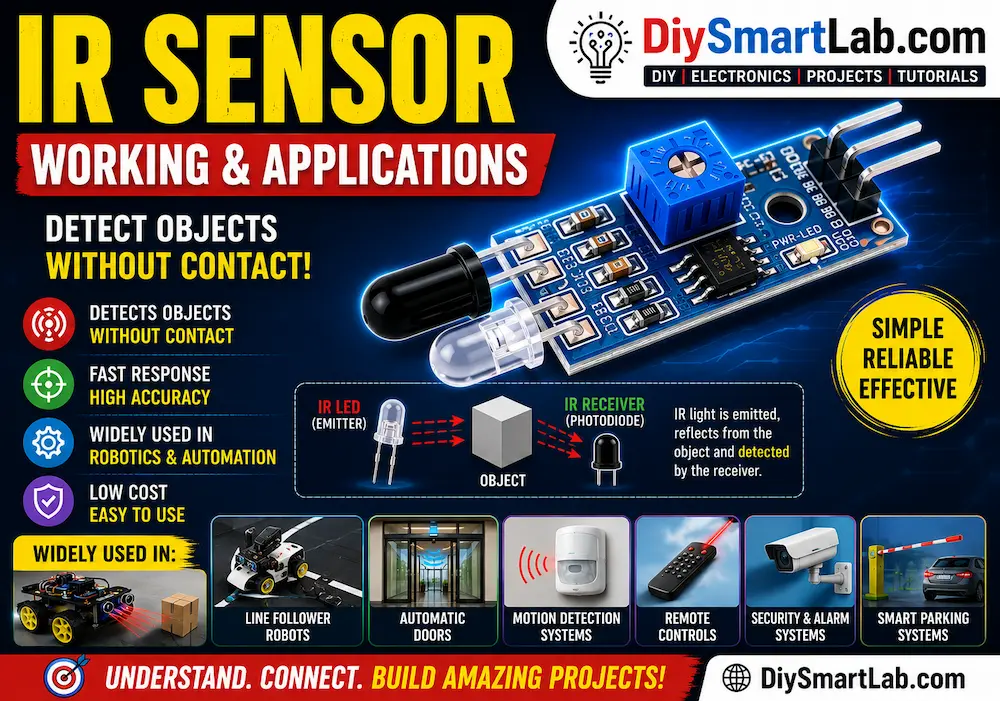
- What is an IR Sensor? Working and Applications
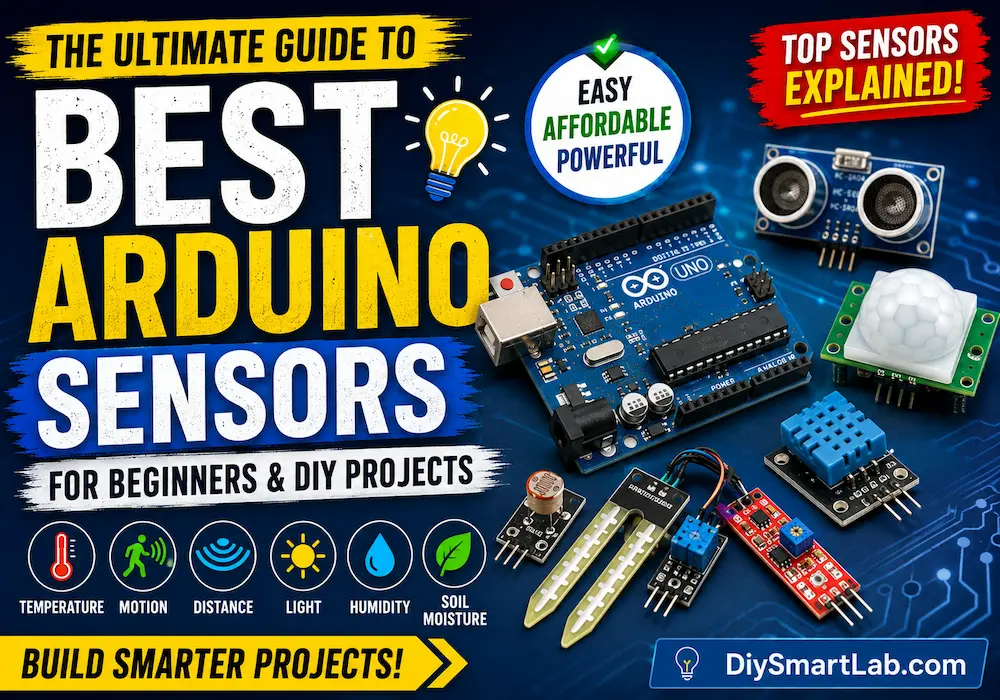
- Best Arduino Sensors for Beginners Projects Guide
- Smart Irrigation System Using Arduino – Beginner Friendly Guide
- Arduino LED Blinking Project for Beginners
- What is Arduino Uno? Features and Pin Diagram
- Motion Sensor Light Using PIR Sensor
- ESP32 vs Arduino – Which Board is Better?
One thought on “What is an Ultrasonic Sensor? Distance Measurement Guide”